

Actual Vehicle Load Columns
New Actual weight, volume and pallets columns in Plan & Track show how full each vehicle is right now, updated as drivers deliver and collect along the route. Available on all Track-POD plans.
Read More
A route that starts on Monday morning and ends on Wednesday afternoon puts dispatchers in an awkward spot with customer notifications. If the message goes out when the route starts, the customer on the last stop hears about their delivery two days early. A fixed time of day doesn't help much either, since stops on the same route can be a day or more apart.
Scheduled notifications in Track-POD now have a third sending option that solves this: each message goes out a set time before the planned ETA of that customer's stop. With a one-hour offset, a customer whose delivery is planned for 8:14 gets the notification at 7:14, wherever that stop falls on the route.
ETA-based scheduling is available on the Ultimate plan.
Delivery notifications with scheduled sending now offer three options:
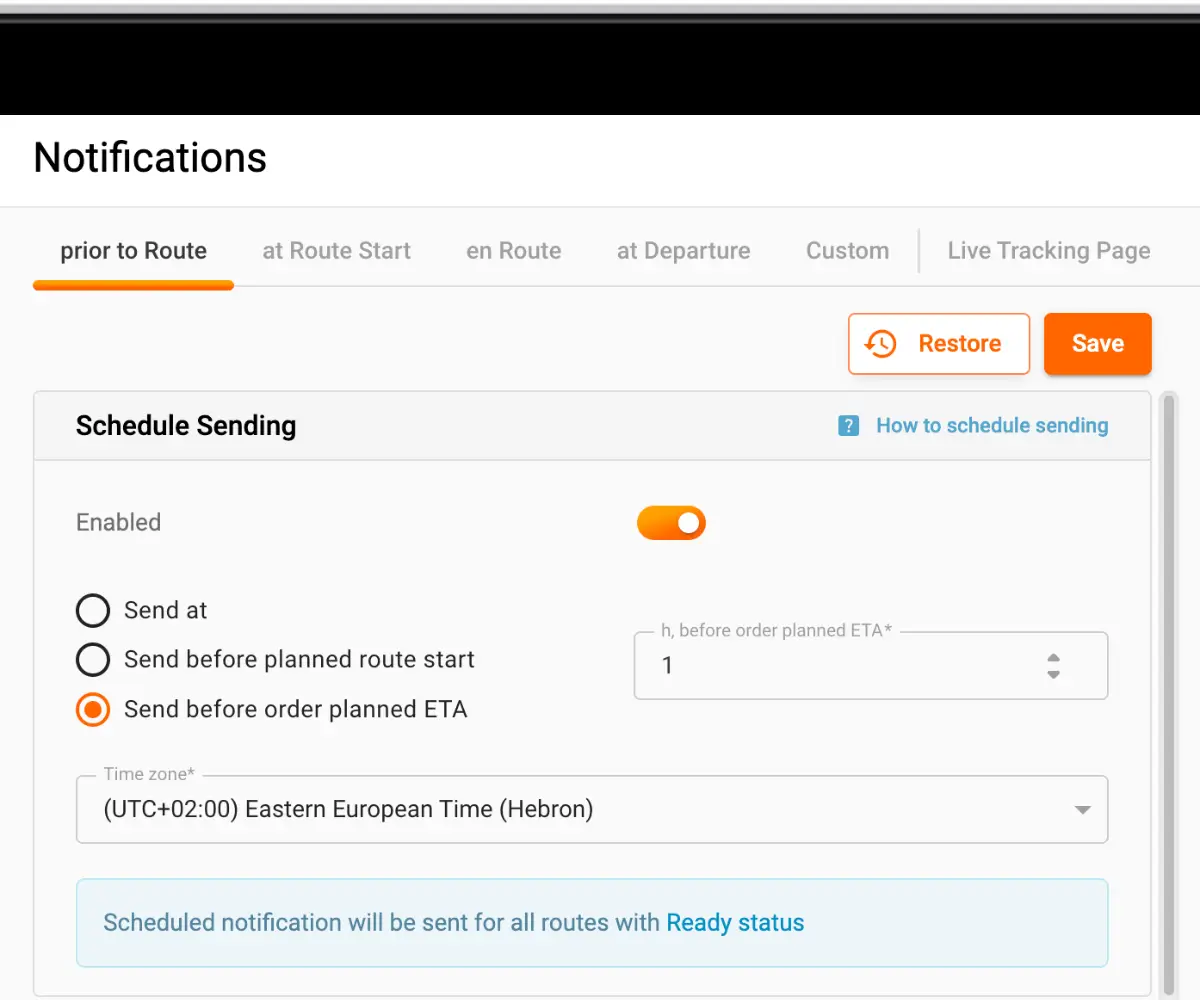
The notification text itself doesn't change. Customers receive the template you've set up in the notifications center, only at a different moment.
Open Settings and go to the Notifications tab. Switch on Scheduled sending, pick one of the three options and, for the ETA-based ones, enter the offset, for example 1 hour. Then click Save.
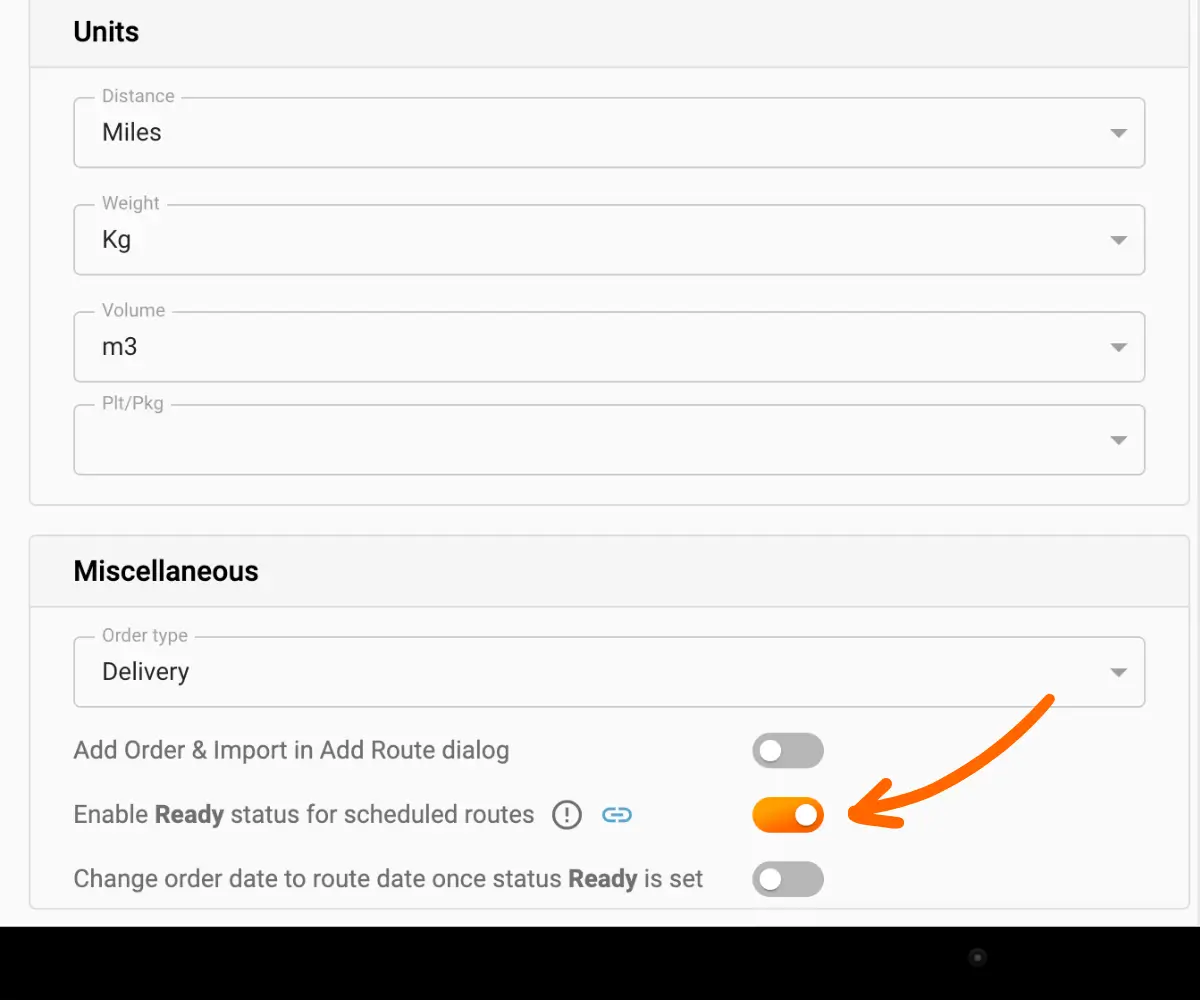
Two more settings need to be in place before anything is sent:
The ETA option relies on each stop having a planned arrival time. In Plan & Track, open the route and use one of the two buttons on it:
Either way, an ETA column appears with the planned start of the route and the planned arrival at each order. Planned times are based on the route itself and don't account for traffic or traffic lights, so treat them as a close estimate.
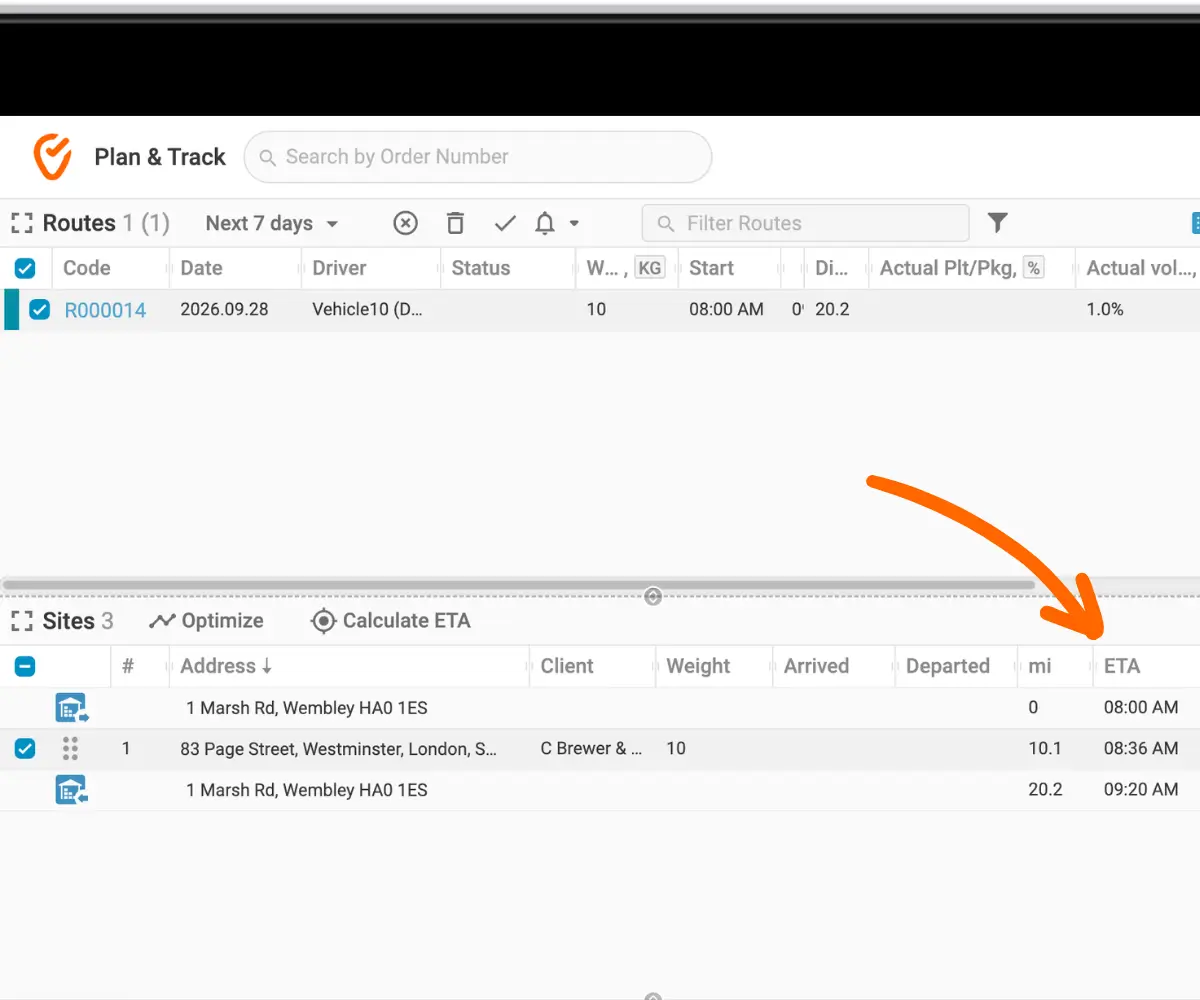
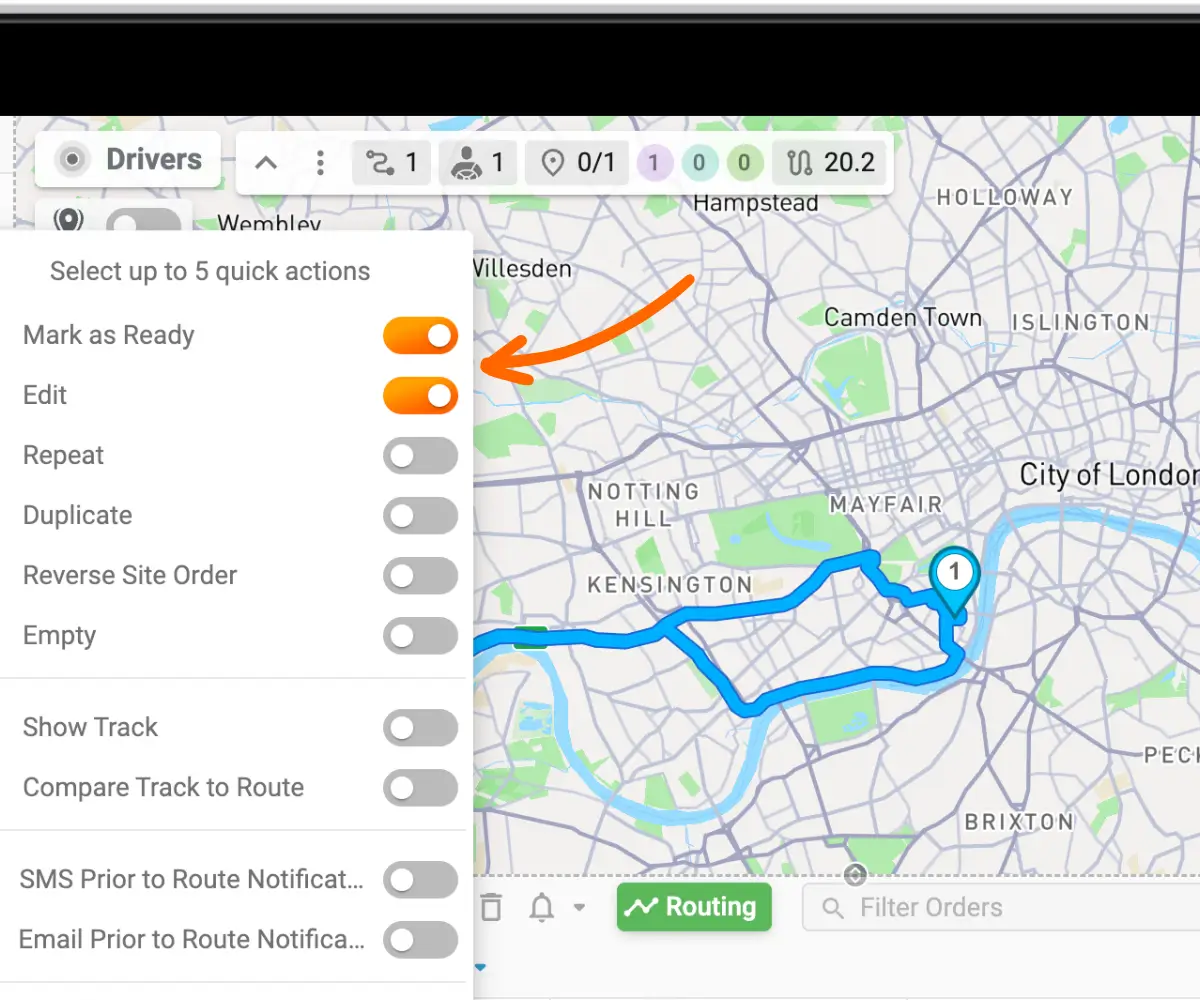
When the route is ready to go, open its three-dot menu and choose Mark as Ready. From that moment, every order on the route has its notification scheduled. If the order's ETA is 8:36 and the offset is one hour, the customer receives the message at exactly 7:36.
The option was built for companies whose routes run over several days, where a start-of-route message reaches some customers far too early. It also helps any operation that wants customers to hear from them a few hours ahead of the actual delivery. A well-timed message gives people a chance to be home or to arrange a neighbour, and dispatchers get fewer calls asking "Where is my order?" as a result.
With Send before planned ETA, each customer on a route is notified a set time before their own delivery. Set the offset and time zone in Settings, calculate ETAs for the route, mark it Ready, and Track-POD sends each message on time.
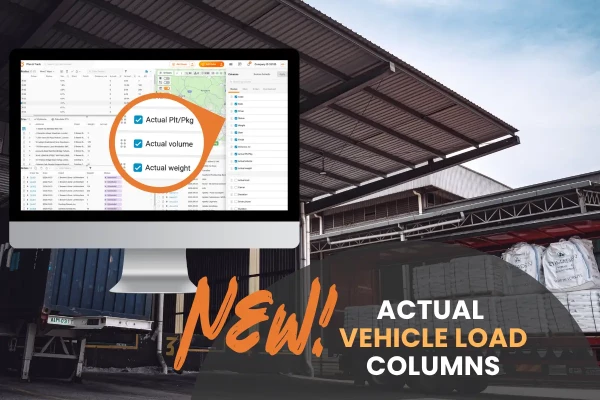
New Actual weight, volume and pallets columns in Plan & Track show how full each vehicle is right now, updated as drivers deliver and collect along the route. Available on all Track-POD plans.
Read More
New Actual weight, volume and pallets columns in Plan & Track show how full each vehicle is right now, updated as drivers deliver and collect along the route. Available on all Track-POD plans.

What do shipping labels actually do for a delivery operation? How to generate, print and scan them in Track-POD, and why the scan before dispatch matters most.
Read More