- Product news
- Route Planning
Linked Pickup-Hub-Delivery Orders

by
Anton Ananich
September 28, 2026
Many shipments don't go straight from the sender to the recipient. A driver collects the goods and brings them to a hub, where they're sorted, stored or consolidated, and later another route takes them on to the customer. In Track-POD, this is a Pickup-Hub-Delivery order: two orders, one for each leg, that often run on different routes and different days.
The tricky part has always been the hand-off in the middle. When planning the delivery leg, a dispatcher needs to know whether the goods have been collected and whether they're already at the hub. Until now, that meant looking up the matching collection order by hand.
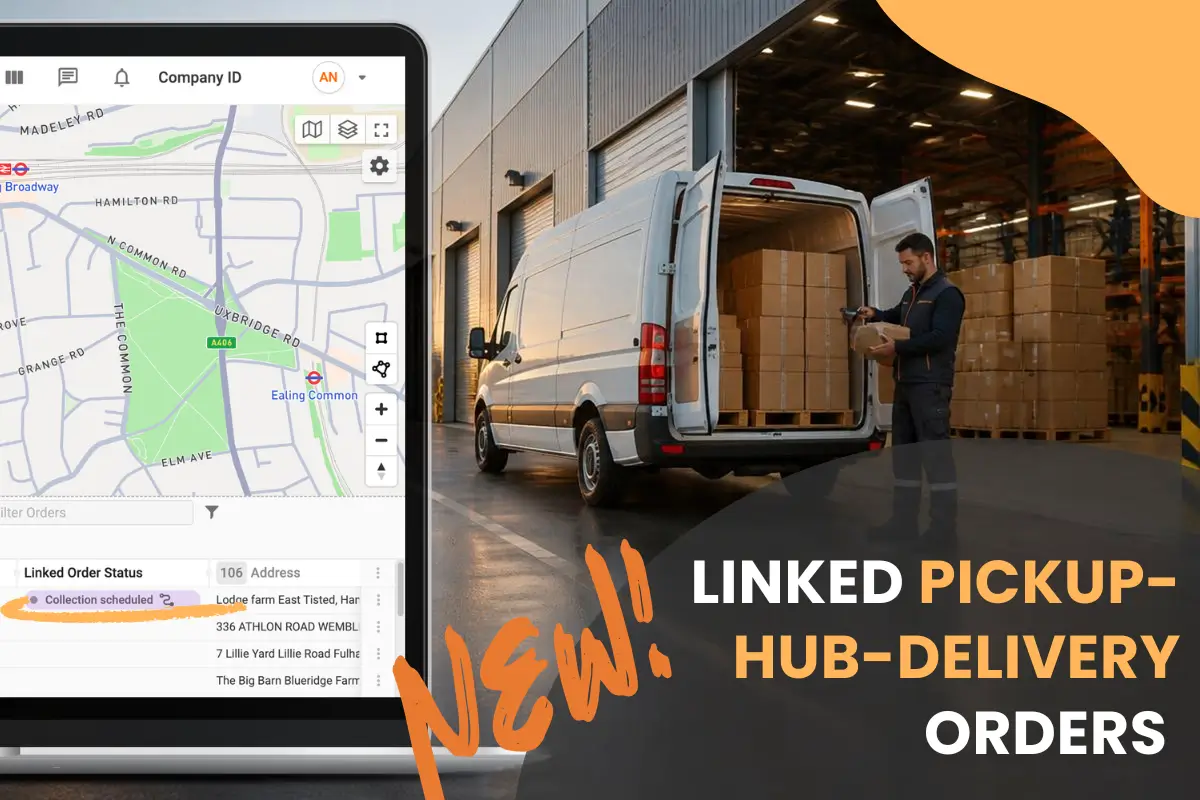
The two legs are now linked. Each one shows the status of its pair, and the feature is available on all Track-POD plans.
Pickup & Delivery and Pickup-Hub-Delivery: what's the difference
Track-POD has two order types that combine a collection and a delivery, and they suit different workflows.
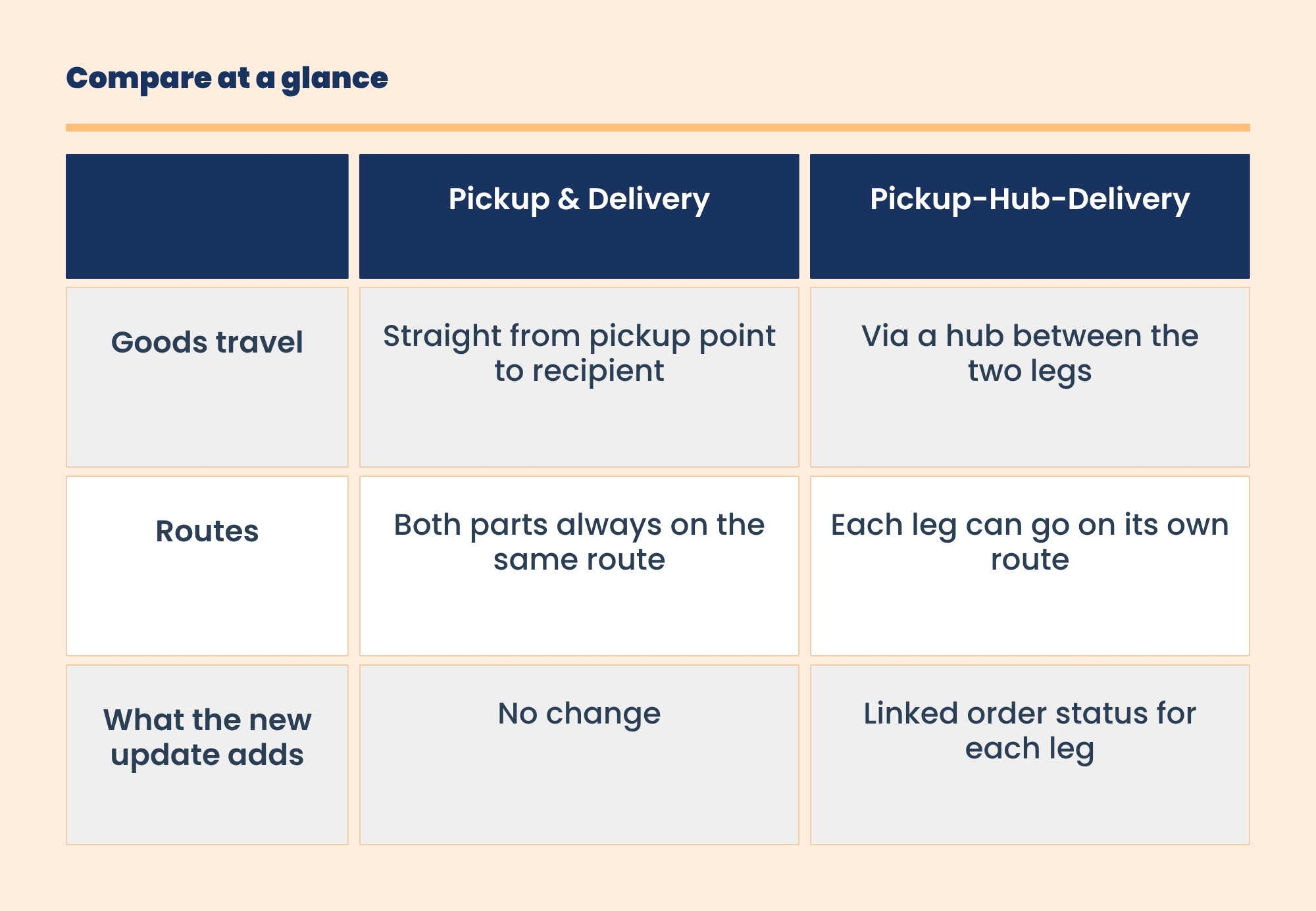
Because Pickup-Hub-Delivery legs can be planned separately, knowing the state of the other leg is what makes the difference. That's the gap the linked status fills.
Creating the order and adding the column
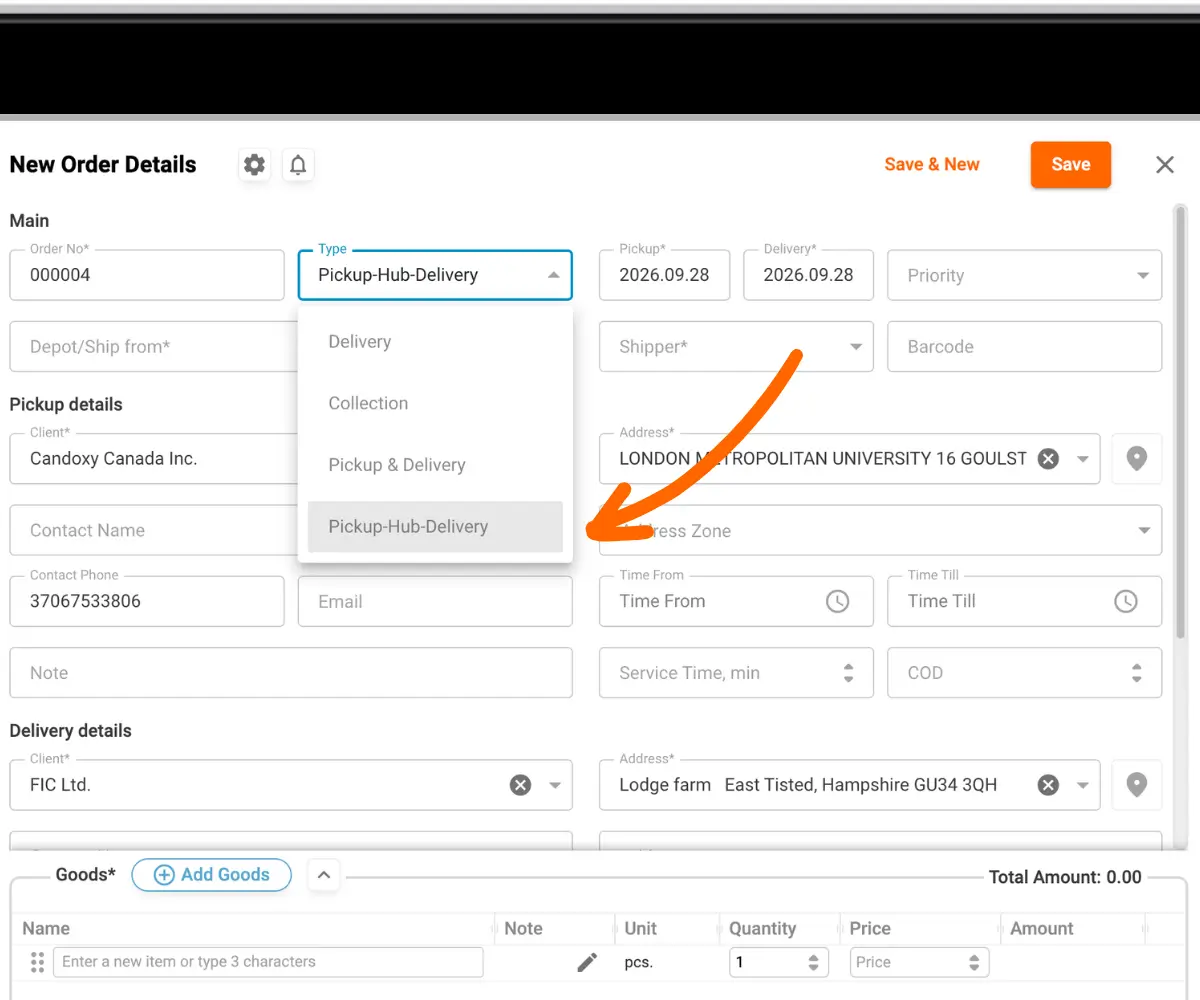
In Plan & Track, click the orange Add order button in the top right and set the order type to Pickup-Hub-Delivery. Once saved, the order appears in the list with a PHD label.
The two legs are linked automatically, whether you create the order by hand or bring it in through import.
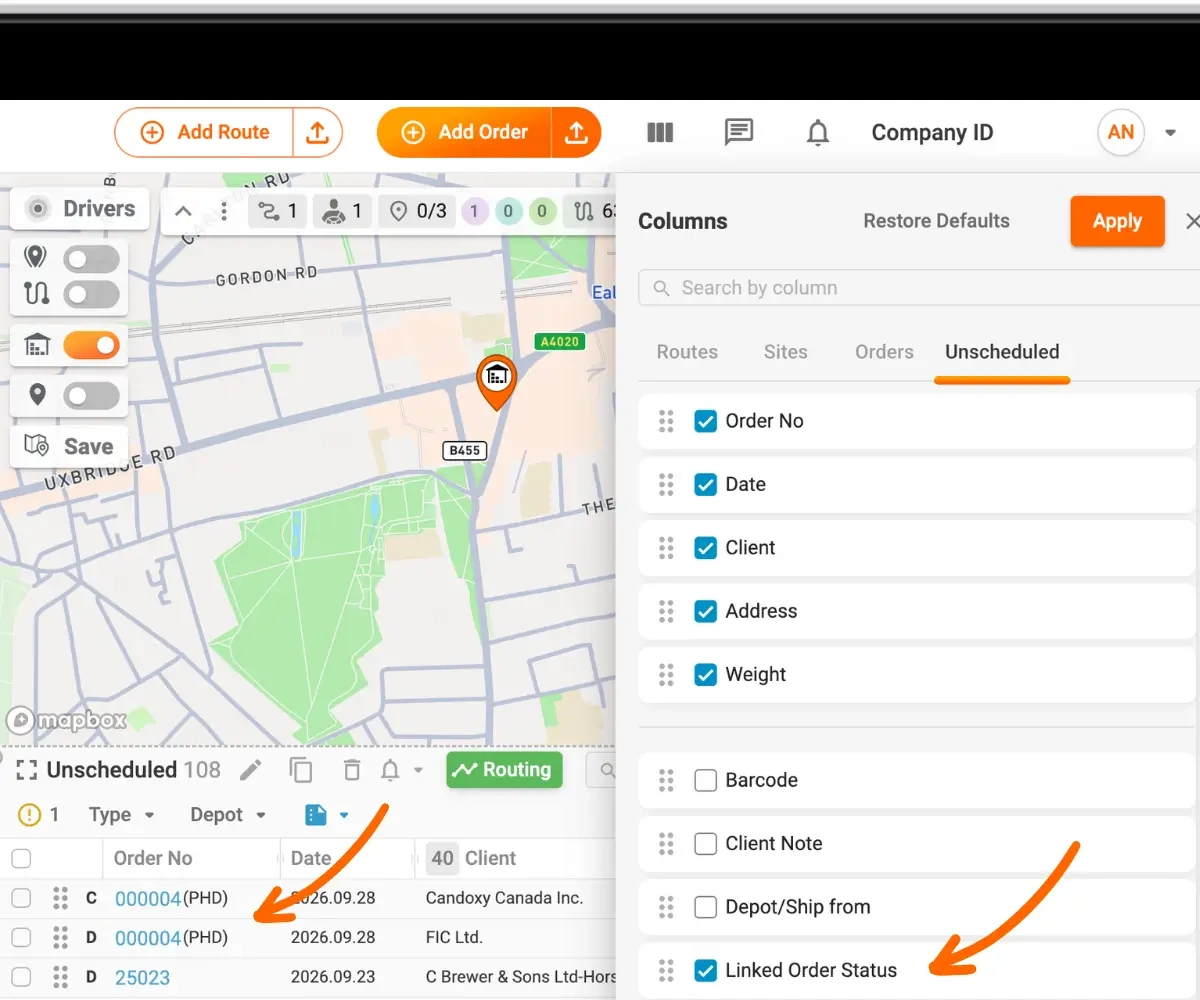
To see the status of the paired order, open the column chooser to the right of Add order, and Unscheduled tab, tick Linked order status and apply.
Reading the linked status
Once the collection leg is added to a route, the Linked order status of the delivery leg updates to show which route the collection is on and what stage it has reached. As the driver works through the route, the column follows along, so you can tell whether the goods are still waiting for pickup, on board, or already at the hub.
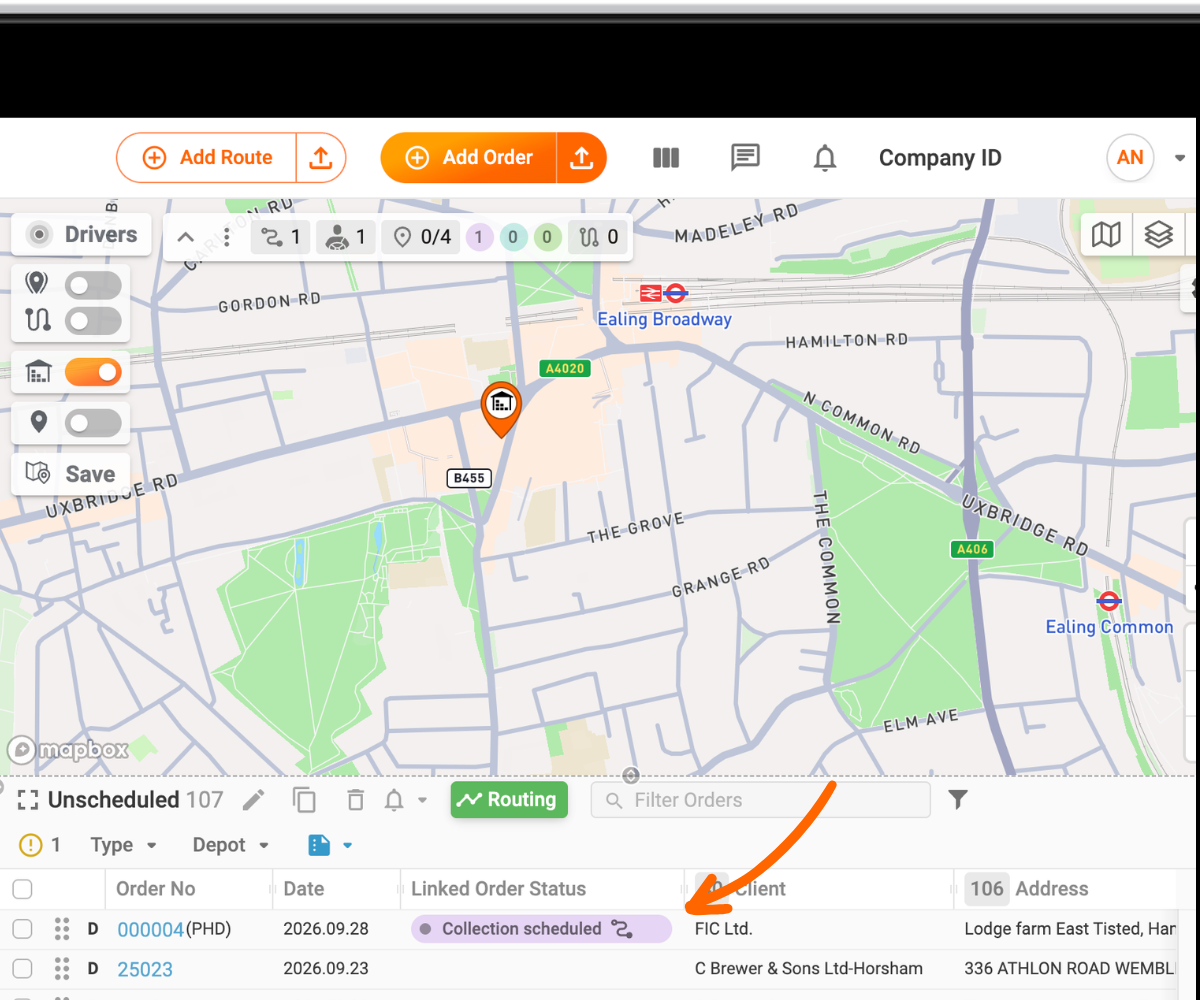
The same works in reverse: the collection order shows what's happening with its delivery leg. Statuses follow the usual order lifecycle and update in real time.
Beyond the dashboard
The linked order status is also part of API responses, webhooks and order exports. Warehouse or ERP systems connected to Track-POD can react to a completed collection automatically, and the status is available in exported data for reporting.
Why customers asked for it
Many Track-POD customers run their operations through a hub, including 3PLs, courier networks and distributors that consolidate goods before the final mile (see how Track-POD supports 3PL fulfillment). For them, the key question each morning is which deliveries can actually go out. Goods may not have been collected yet or may still be waiting to be sorted. With the linked status, the answer is in the orders grid, and filtering by it gives a ready list of deliveries for the next leg.
Recap
The two legs of a Pickup-Hub-Delivery order are now connected. Add the Linked order status column, filter by it to find orders ready for the next leg, and click the linked number to move between the pair.